Building Secure Network Access for a Distributed Workforce
Key Takeaways
- Modern employees, contractors, devices, and applications operate far beyond a single office network.
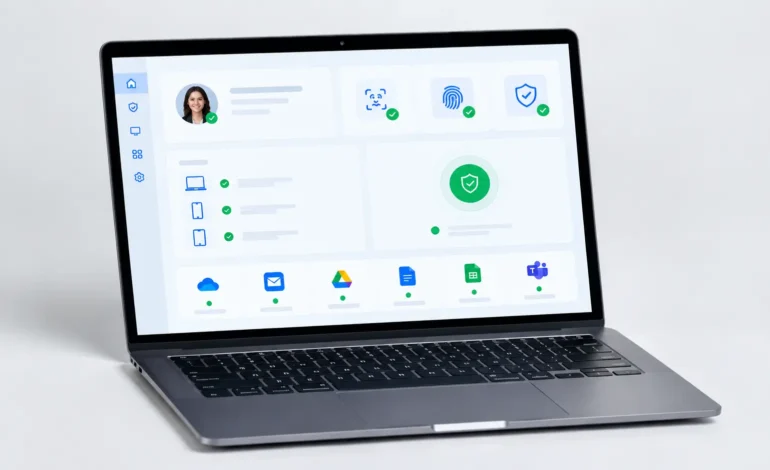
- Access decisions should consider identity, device condition, application needs, and session risk.
- Security controls must protect users without creating slow, unreliable application experiences.
- A phased move toward identity-based access is usually more practical than replacing every legacy control at once.
- Clear measurements help IT teams improve both security outcomes and day-to-day usability.
Network access no longer begins and ends at headquarters. Employees may work from home, visit customer locations, connect through branch offices, or use mobile networks while relying on cloud applications throughout the day. Businesses managing these distributed environments can explore https://www.mettel.net/solution-category/sase/ to understand how network connectivity, secure access, and traffic management can work together.
The goal is not simply to block threats but to give people reliable access to the tools they need while limiting unnecessary exposure to sensitive systems. This balance is especially important for organizations supporting remote employees, temporary workers, third-party partners, and multiple office locations.
1. Why Network Access Looks Different Today

A sales representative might start work at home, review customer information from an airport, join a video call at a client site, and finish the day at a company office. Each connection may use a different device, network, and level of risk. Meanwhile, the applications they use may be delivered through SaaS platforms, private cloud environments, or on-premises systems.
IT teams therefore need an access model that works across locations without treating every connection as equally trustworthy. Security and user experience must be designed together, because a technically secure process that repeatedly delays legitimate work can create support burdens and encourage unsafe workarounds.
2. The Limits of a Single Network Perimeter
Traditional network security often assumed that the internal network was more trusted than the internet. A central firewall guarded the outer edge, and users who connected through the office or a VPN could often reach broad sections of the network. That model is harder to manage when applications and users are distributed.
- Users may receive more network access than their role requires.
- Routing remote traffic through one central gateway can create performance bottlenecks.
- Policies may differ between offices, devices, and cloud services.
- Security teams may have limited visibility into SaaS use and partner connections.
- Slow or unreliable remote access can increase help desk requests.
3. What a Modern Access Model Should Check
Instead of relying on location alone, access decisions should combine several signals. NIST’s zero trust architecture guidance describes a resource-focused approach that does not grant implicit trust merely because a user or device is on a particular network.
- User identity: Confirm who is requesting access and whether multifactor authentication is required.
- Device condition: Verify that the device is approved, up to date, encrypted, and protected.
- Application need: Grant access to the specific resource required for the task.
- Location and network: Consider unusual locations, unmanaged networks, or other risk indicators.
- Session behavior: Watch for activity that differs significantly from normal use.
- Business context: Adjust access based on role, data sensitivity, time, and business purpose.
4. How Cloud-Delivered Security Fits the Model
A secure access service edge model combines wide-area networking and security capabilities delivered through cloud services. The exact architecture varies, but the practical aim is consistent: apply policies where users, branches, and devices connect to applications rather than forcing all activity through a single data center.
Common capabilities include secure web gateways for internet traffic, cloud access controls for SaaS applications, cloud-delivered firewall services, zero trust network access for individual applications, and software-defined WAN tools for selecting efficient traffic paths. These capabilities are most effective when identity data, policy enforcement, and monitoring work together.
5. Why Performance and Security Must Work Together

Security controls are more sustainable when they support the way people actually work. Routing rules, application prioritization, local internet breakouts, and backup connections can help maintain access when employees simultaneously depend on video meetings, business systems, payment platforms, and cloud applications.
A Retail Branch Example
A retail location may need payment processing, inventory management, voice or video communications, guest Wi-Fi, and security monitoring to operate simultaneously. IT teams should identify which services are business-critical, establish appropriate traffic priorities, and test the experience under real operating conditions. Better performance can reduce user frustration and discourage employees from bypassing approved tools.
6. Moving Beyond Broad VPN Access
A traditional VPN can be useful, particularly for legacy systems or transitional environments. However, it may provide a user with access to a wider network area than necessary. Application-level access offers a different model: verify the user and device, then provide access only to the approved application or service.
This approach can reduce unnecessary pathways between systems and make permissions easier to align with job responsibilities. It does not require every organization to remove VPNs immediately. The right transition depends on the applications in use, operational requirements, and existing security controls.
7. A Practical Rollout Plan for IT Teams
- Map the environment: Document users, devices, applications, offices, cloud services, and outside connections.
- Rank business risks: Identify sensitive data, high-value applications, and accounts with broad permissions.
- Start with one use case: Pilot access controls for a defined group of users and applications.
- Apply stronger policies: Add multifactor authentication, device checks, least-privilege rules, and session monitoring.
- Measure and adjust: Review user feedback, response times, failed logins, blocked requests, and security alerts before expanding.
8. Common Mistakes to Avoid
- Replacing every security tool at the same time.
- Choosing technology features before identifying business risks.
- Ignoring legacy applications and service accounts.
- Granting broad access simply for convenience.
- Testing only from headquarters, rather than at real user locations.
- Leaving contractors and third parties outside regular access reviews.
- Measuring blocked threats while overlooking poor application performance.
9. How to Measure Progress
A useful scorecard should include both security and operational measures. Track the time required to approve or remove access, the number of users with excessive permissions, device compliance rates, application response times by location, access-related support tickets, applications protected by identity-based policies, and the time needed to identify unusual access behavior.
10. What Industry Activity Shows
Public-sector zero trust programs and enterprise security planning increasingly emphasize identity, devices, applications, data, network visibility, and continuous policy enforcement. The broader lesson is that secure access is not a one-time deployment. It is an operating model that needs regular review as applications, users, and business requirements change.
11. Questions Business Leaders Should Ask
- Which applications and data need the strongest access controls?
- Can the organization see who is accessing sensitive resources and from which devices?
- What happens when a device fails a required security check?
- Can access be limited without routing all traffic through one central location?
- How will contractors, suppliers, and temporary workers be supported?
- Which legacy systems must remain available during the transition?
12. Build Access Around the Work
Better network access is both a security initiative and a business design decision. The strongest approach gives each person the access needed for the task, evaluates risk throughout the session, and keeps essential applications responsive wherever work happens. With a phased rollout, practical measurements, and regular policy reviews, organizations can create a more secure and usable access model for distributed work.
Read also: Stack Your Deck with These White-Label Cyber Tools